Apress

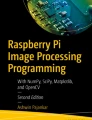
Raspberry Pi Image Processing Programming

Develop Real-Life Examples with Python, Pillow, and SciPy

  • Book
  • © 2017

Overview

  • Covers digital image processing with Raspberry Pi and Python 3
  • Introduces matplotlib, numpy, scipy, Tkinter, and pillow
  • Provides engaging, interactive, and PEP-8-compliant Python 3 code examples
  • 43k Accesses

  • 16 Citations

This is a preview of subscription content, log in via an institution to check access.

Access this book

eBook EUR 26.99
Price includes VAT (Spain)
  • Available as EPUB and PDF
  • Read on any device
  • Instant download
  • Own it forever

Tax calculation will be finalised at checkout

') var buybox = document.querySelector("[data-id=id_"+ timestamp +"]").parentNode var buyboxMaxSingleColumnWidth = 480 ;[].slice.call(buybox.querySelectorAll(".buying-option")).forEach(initCollapsibles) function initCollapsibles(buyingOption, index) { var toggle = buyingOption.querySelector(".buying-option-price") buyingOption.classList.remove("expanded") var form = buyingOption.querySelector(".buying-option-form") var priceInfo = buyingOption.querySelector(".price-info") if (toggle && form && priceInfo) { toggle.setAttribute("role", "button") toggle.setAttribute("tabindex", "0") toggle.addEventListener("click", function (event) { var expandedBuyingOptions = buybox.querySelectorAll(".buying-option.expanded") var buyboxWidth = buybox.offsetWidth ;[].slice.call(expandedBuyingOptions).forEach(function(option) { if (buyboxWidth -1 ;[].slice.call(buybox.querySelectorAll(".buying-option")).forEach(function (option, index) { var toggle = option.querySelector(".buying-option-price") var form = option.querySelector(".buying-option-form") var priceInfo = option.querySelector(".price-info") if (allOptionsInitiallyCollapsed || narrowBuyboxArea && index > 0) { toggle.setAttribute("aria-expanded", "false") form.hidden = "hidden" priceInfo.hidden = "hidden" } else { toggle.click() } }) } initialStateOpen() if (window.buyboxInitialised) return window.buyboxInitialised = true initKeyControls() })()

Other ways to access

Licence this eBook for your library

Institutional subscriptions

About this book

Write your own Digital Image Processing programs with the use of pillow, scipy.ndimage, and matplotlib in Python 3 with Raspberry Pi 3 as the hardware platform. This concise quick-start guide provides working code examples and exercises. Learn how to interface Raspberry Pi with various image sensors.


What You'll Learn


  • Understand Raspberry Pi concepts and setup
  • Understand digital image processing concepts
  • Study pillow, the friendly PIL fork
  • Explore scipy.ndimage and matplotlib
  • Master use of the Pi camera and webcam


Who This Book Is For


Raspberry Pi and IoT enthusiasts, digital image processing enthusiasts, Python and Open Source enthusiasts and professionals


Table of contents (9 chapters)

Authors and Affiliations

  • Nashik, India

    Ashwin Pajankar

About the author

Ashwin Pajankar is a Programmer, a Maker, an Author, a Youtuber, and an Educator with more than 10 years' experience in software design, development, testing, and automation. He graduated from the coveted IIIT Hyderabad, earning an M.Tech in computer science and engineering. He holds multiple professional certifications from Oracle, IBM, Teradata, and ISTQB in development, databases, and testing. He has won several awards in college through outreach initiatives, at work for technical achievements, and community service through corporate social responsibility programs.


Accessibility Information

Accessibility information for this book is coming soon. We're working to make it available as quickly as possible. Thank you for your patience.

Bibliographic Information

Keywords

Publish with us